AEM Forms packages

Clear tiers for building forms, PDFs and workflows, so you know what you’re getting before we start. Every package has a defined scope, a set number of review rounds and project management included. Contact us for pricing.

Form builds

AEM Adaptive Forms that work in any browser. Pick the tier that matches the form; we confirm it with you before we start.

Complexity: Low

Simple form

Build time: typically 2 days or less

  • AEM Adaptive Form with out-of-the-box components and styling
  • 1–2 tabbed pages, 1–3 column layout, no tables
  • Fewer than 20 simple fields: text, dates, numbers and fixed drop-downs
  • Simple client-side validation, no custom scripting
  • Up to two review rounds
Ask about simple form

Complexity: Medium

Standard form

Build time: typically 1 week or less

  • AEM Adaptive Form with out-of-the-box components and styling
  • 1–5 tabbed pages, 1–3 column layout
  • Up to 20 simple fields plus 1–2 complex ones: a table, signature or file attachment
  • A few scripted validations and behaviors
  • One server-side validation or lookup
  • Up to four review rounds
Ask about standard form

Complexity: High

Custom form application

  • A fully functional web page built as an AEM Adaptive Form
  • Custom styling and complex behavior
  • Server-side validation and data retrieval

Scope is confirmed in a short discovery before work starts.

Ask about custom form application

Typical build times assume requirements, access, environments, templates and required integrations are ready. Client review, approvals, testing and deployment windows may add calendar time.

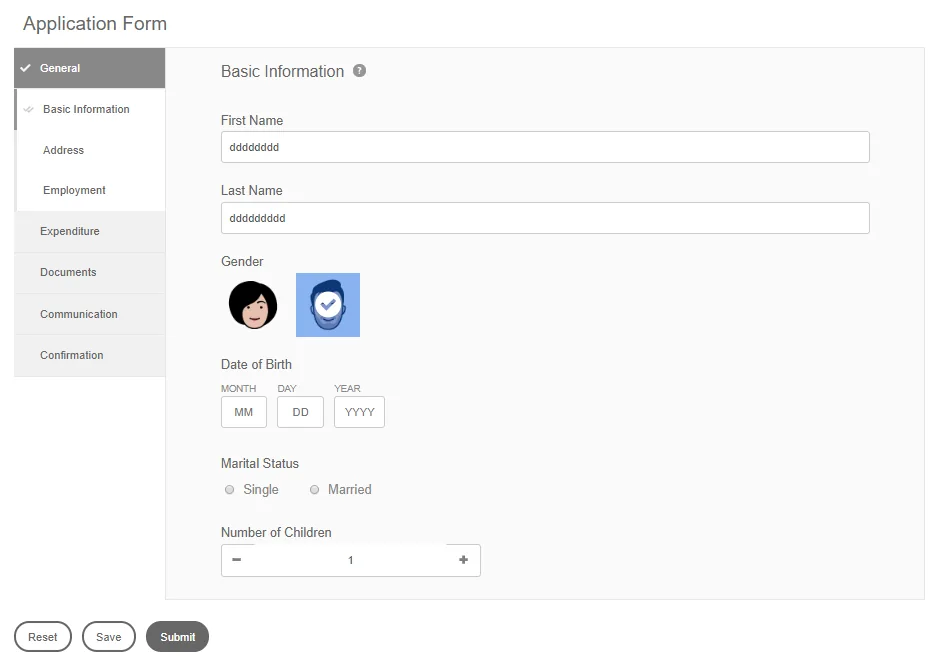
Example of a multi-section AEM Adaptive Form with a side navigation for General, Expenditure, Documents, Communication and Confirmation
An AEM Adaptive Form. Illustrative example.

Workflows

What happens after someone presses Submit: reviews, approvals, integrations and archiving, built with AEM Forms workflows.

Complexity: Low

Simple approval

Build time: typically 1 week or less

  • Starts from an AEM Adaptive Form
  • 1–2 approval or task steps
  • One database interaction and 1–2 decision branches
  • Out-of-the-box task inbox
  • No escalations, deadlines or third-party integrations
  • 1–3 review rounds
Ask about simple approval

Complexity: Medium

Integrated workflow

Build time: typically 2 weeks or less

  • Up to 6 task assignments and 12 decision branches
  • Document repository integration and one third-party integration
  • 1–3 database interactions
  • Out-of-the-box escalations, deadlines and reminders
  • One custom component
Ask about integrated workflow

Complexity: High

Full forms application

  • A complete business application around your forms
  • Multiple custom integrations, such as Adobe Acrobat Sign, Active Directory and archival
  • Complex business rules and server-side data retrieval

Scope is confirmed in a short discovery before work starts.

Ask about full forms application

Typical build times assume requirements, access, environments, templates and required integrations are ready. Client review, approvals, testing and deployment windows may add calendar time.

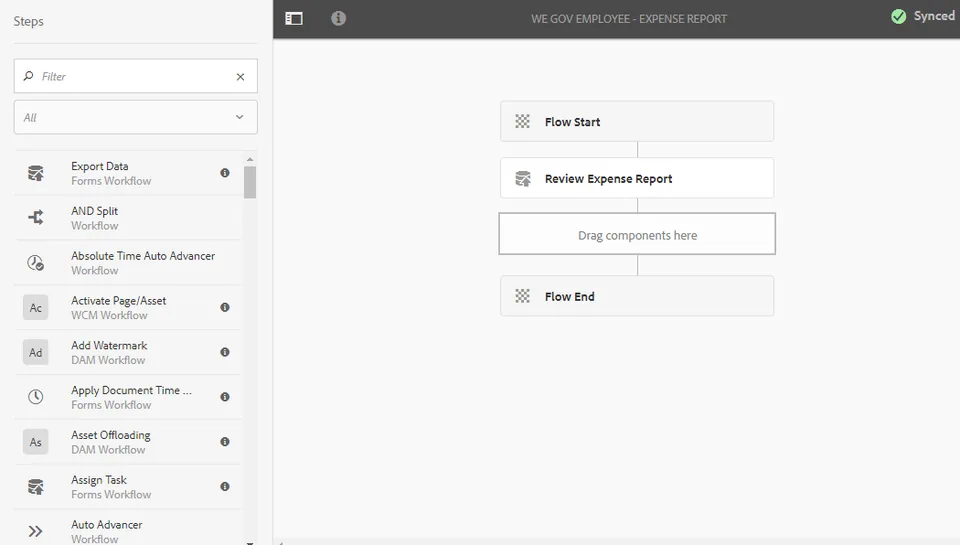
Example of an expense report review workflow in the AEM workflow editor
An AEM (OSGi) workflow in the AEM workflow editor. Illustrative example.
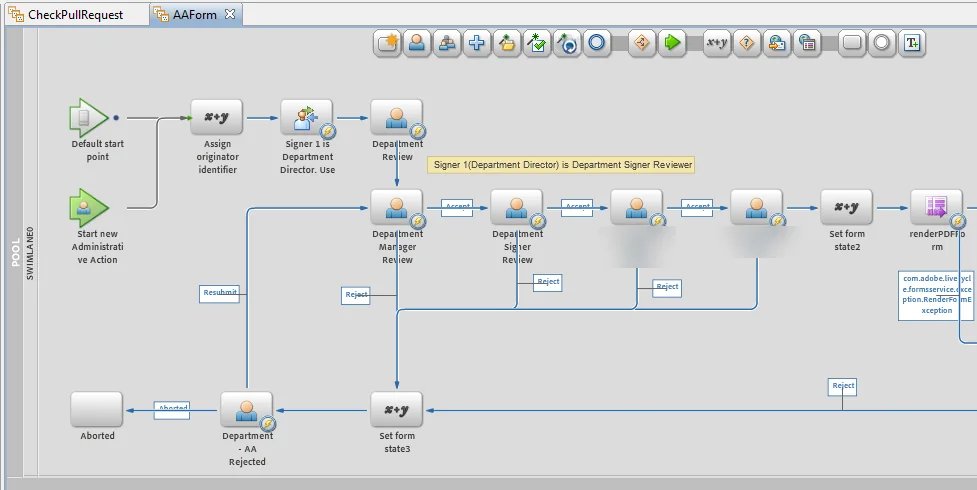
An AEM Forms on JEE (LiveCycle) process in Workbench: originator assignment, department review, manager and signer approvals, PDF rendering, and resubmit and reject paths
An AEM Forms on JEE (LiveCycle) process in Workbench. Identifying details blurred.

PDF document of record

Need a PDF version for signatures, archiving or mailing? A document of record (DOR) follows the same Low, Medium and High complexity tiers as the form it belongs to.

  • Built in AEM Forms Designer
  • Out-of-the-box components only
  • Tabs in the form generally become pages in the PDF
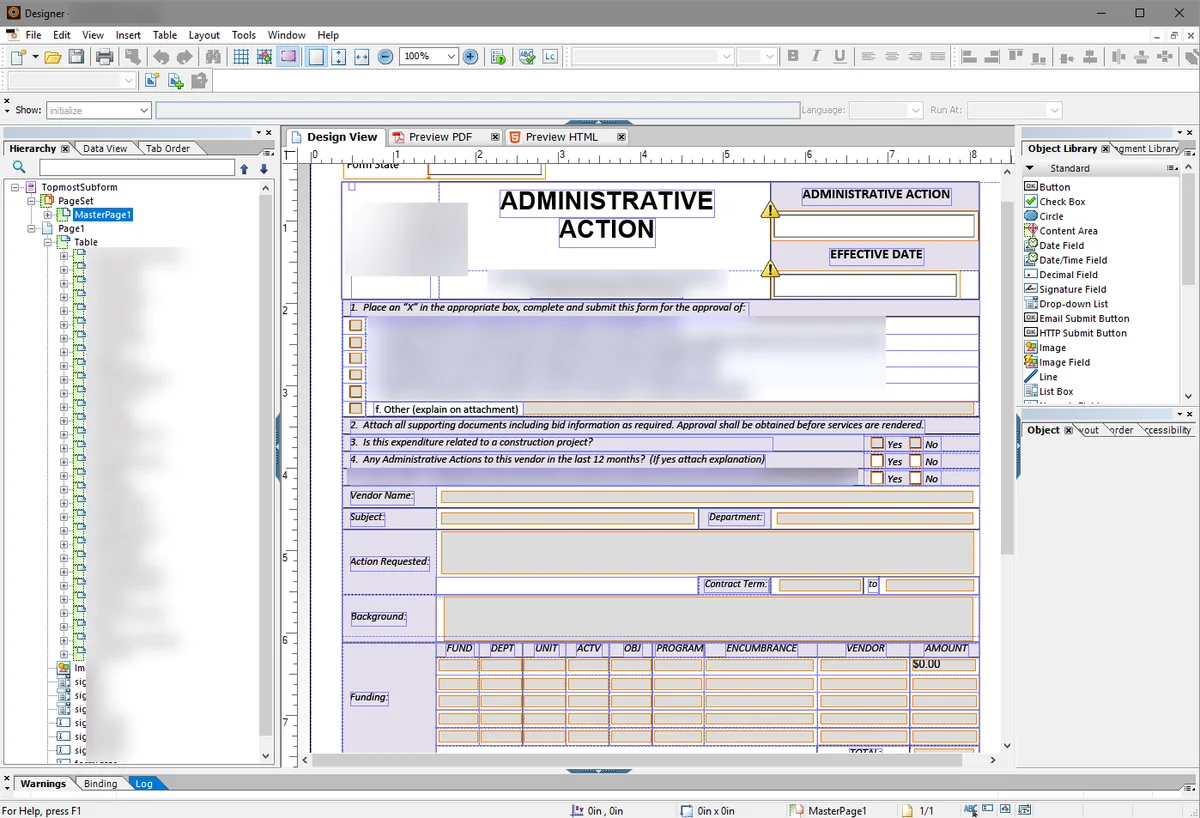
An XFA form being designed in AEM Forms Designer, showing the form hierarchy, the design view and the object library
An XFA form in AEM Forms Designer. Identifying details blurred.

Example projects

Most projects combine a form tier and a workflow tier. Some typical examples:

Standard form + Integrated workflow

Expense form and approval

  • Adaptive Form with a table that totals line items
  • Validation
  • Approval tasks with reminders and escalations
  • Database integration and document archiving

Standard form + Full forms application

Administrative action request

  • PDF form with many fields, a table and validation
  • Many tasks and decision points
  • Adobe Acrobat Sign integration
  • Active Directory lookups, custom emails and document archiving

Standard form + Full forms application

Engineering change request

  • Adaptive Form with affected parts, a reason for change and drawing attachments
  • Parallel reviews by engineering, quality, manufacturing and supply chain
  • Impact assessment, approve or reject, and rework paths
  • PDF document of record, e-signature and integration with PLM or ERP systems

Included in every package

Send us an existing form or PDF, even a photo of the paper version, and we’ll classify it into one of our packages and send you an estimate within two business days.

  • Project management and technical oversight
  • A defined number of review rounds
  • Scope agreed in writing before work starts

Get pricing for your forms

Send us a form or tell us how many you have and what happens after they’re submitted. We’ll map them to packages and send an estimate within two business days.

Get pricing